
Why Can't I find The Financing Options in Checkout?Updated 4 months ago
Whether you are trying to checkout through from a quote emailed to you by one of our Sleep Specialists, or you are checking out directly through the website, there are several payment methods available. If you are not seeing payment options beyond Credit Card or Shop Pay, please review the following processes to make sure they are not hidden as a result of cached data or other technical items.
Checking Out From the Main Store Front
In order to checkout from PersonalComfortBed.Com, you should have easy access to multiple forms of payment including Credit Card, and Pay Over Time Options from Synchrony and Affirm.
If you do not see options outside of Credit Card Payment, your browser may have cached some checkout details from a previous purchase.
The easiest way to see the standard check out page if this is the case is to open an incognito tab within your browser. Please see "How to Open an Incognito Tab" support article for more detail. 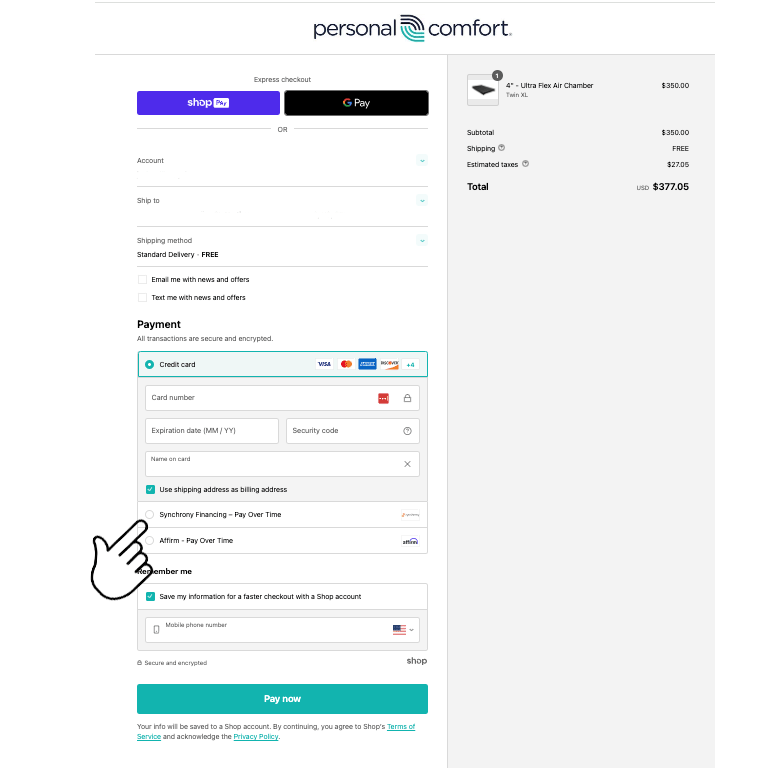
On this page, you should have several payment options, including Credit Card, Affirm, and Synchrony financing options. If you do not see options outside of Credit Card Payment, your browser may have cached some checkout details from a previous purchase.
The easiest way to see the standard check out page if this is the case is to open an incognito tab within your browser. Please see "How to Open an Incognito Tab" support article for more detail.
Checking Out From a Draft Order
When you receive a quote from Personal Comfort to your email inbox, click the complete your purchase button to be taken to the Personal Comfort Store. 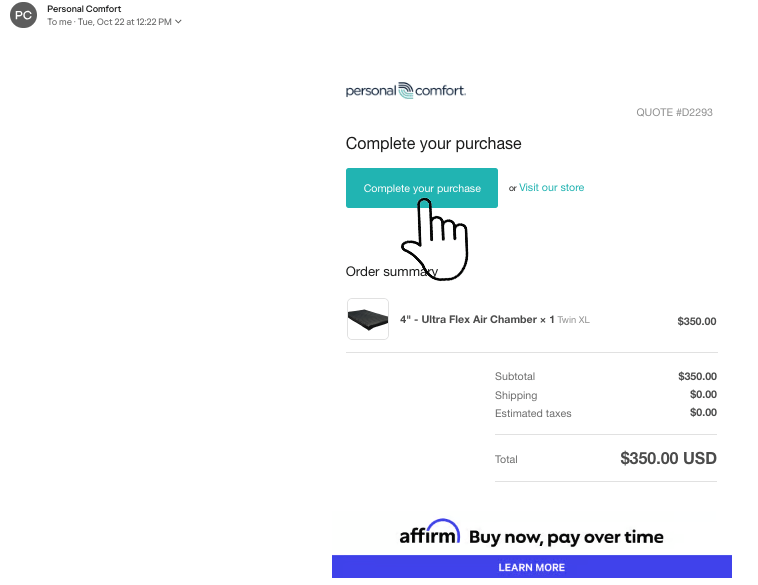
Once you have been taken to the Personal Comfort Store, you should see the following screen which will allow you to check out with all the discounts and promos made available in your quote. 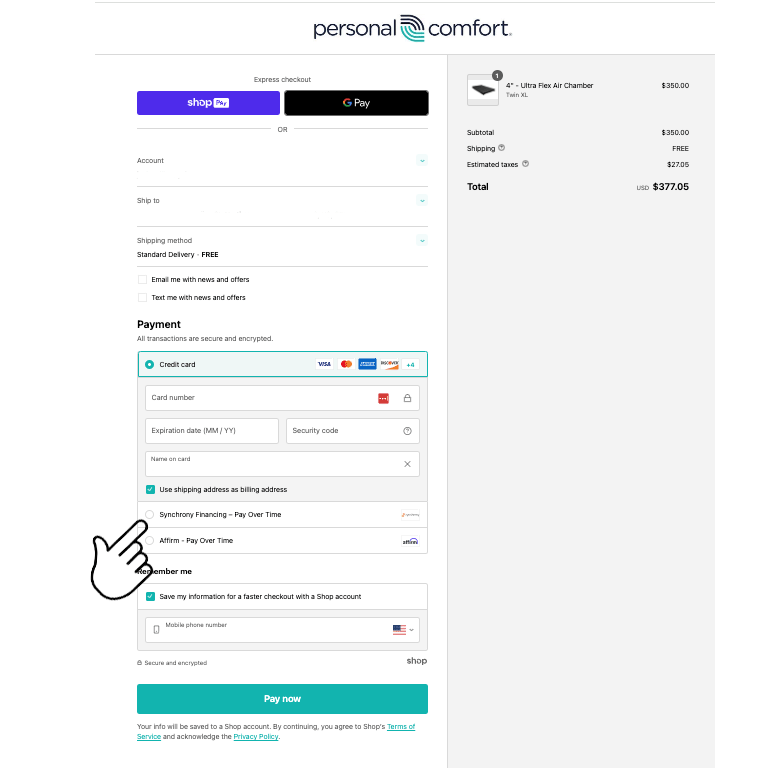
On this page, you should have several payment options, including Credit Card, Affirm, and Synchrony financing options. If you do not see options outside of Credit Card Payment, your browser may have cached some checkout details from a previous purchase.
The easiest way to see the standard check out page if this is the case is to open an incognito tab within your browser. Please see "How to Open an Incognito Tab" support article for more detail.